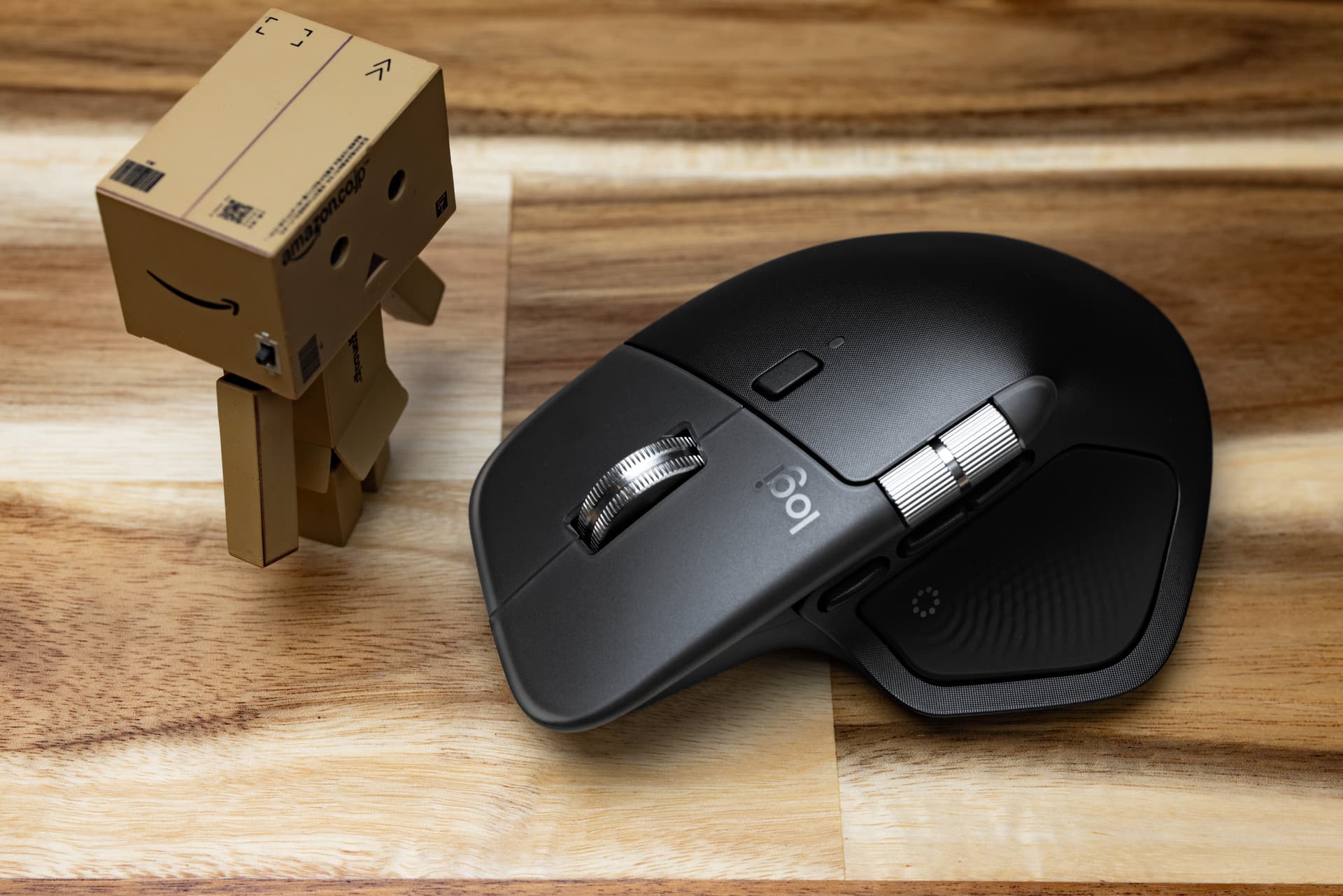
ᴹˣ ᴹᵃˢᵗᵉʳ ⁴ ᶦⁿ ᴮˡᵃᶜᵏ
We got some MX Master 4s due to pretty heavy client interest. I took one home to see if I’d pick some up for myself. I’ve had every MX Master since the series began, and it is by FAR my favorite mouse. This one has a lot to live up to.
There are some MAJOR changes this go round, which is terrifying when the product has been so iterative. When something is this iterative, that means there is little to improve upon. It also means there’s a lot to screw up.
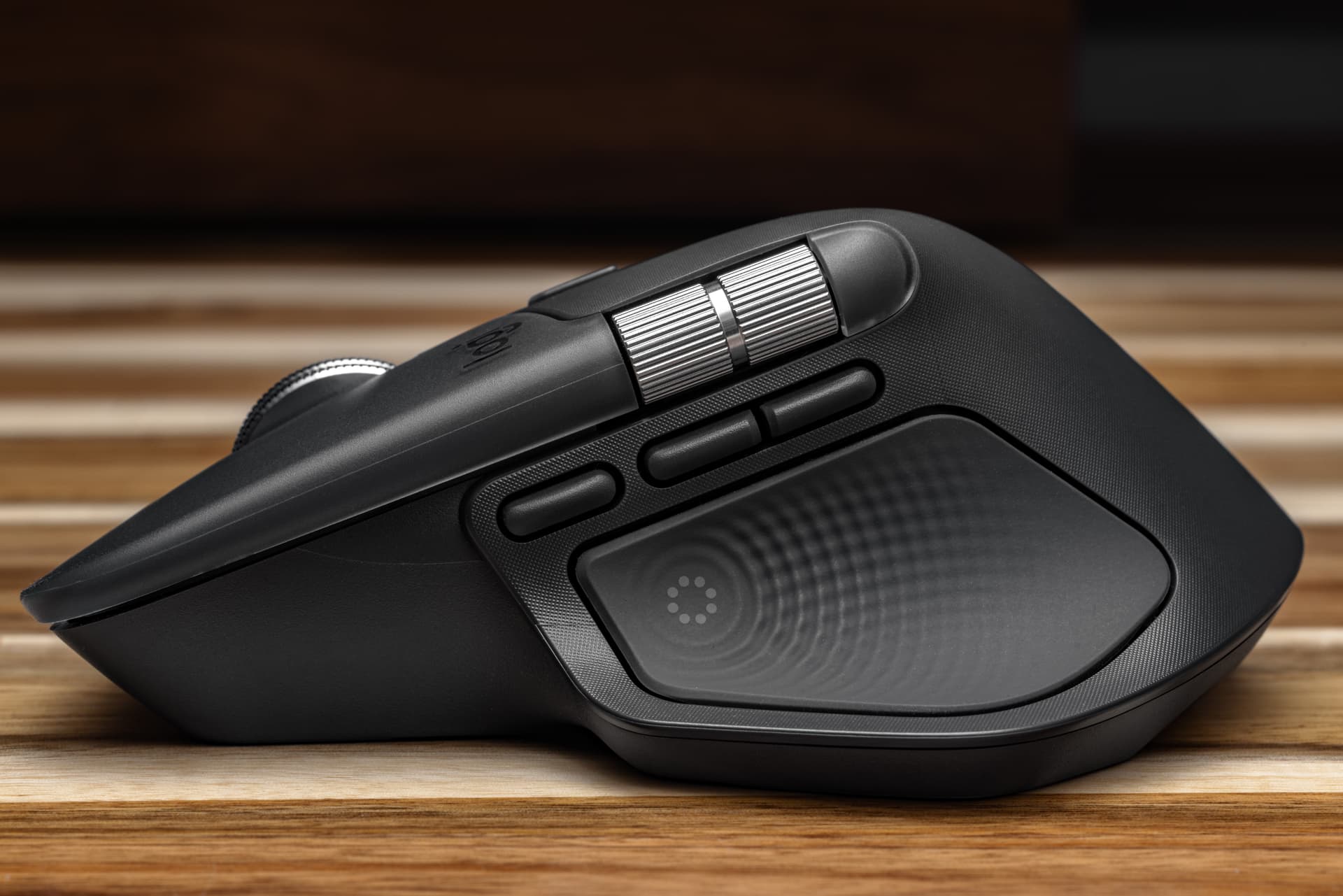
ᴹˣ ᴹᵃˢᵗᵉʳ ⁴ ᶦⁿ ᴳʳᵃᵖʰᶦᵗᵉ
One of the major shifts is the shell itself. The rubberized coating is gone! This is a welcome change, as MX Masters past would rub away or get flaky and gross. Now we have textured plastic for the body, and smooth, frosted plastic for right and left click.
There’s a slight change to the ergonomics. I can’t quite put my finger on it, but my hand sits further back. It’s slightly less comfortable, but I feel like I’ll adjust over time. The new “action” button replaces the thumb button, and I am not the fondest of it. I can’t press downward, I have to squeeze inward a bit to trigger it.
The scroll wheel is no longer recessed, so it sits higher. I don’t find this change too distracting from a muscle memory standpoint. The back and forward buttons have a new friend. This third button compensates for losing the thumb button, except it doesn’t. It’s nowhere near, adds hesitation while you figure out if you’re pressing the correct button, and–never mind, I got used to that in 2 days. I’m not thrilled, but it’s less offensive than it was on day 1.
After a few days of use, the new shell plastics and texture coating grew on me. The haptic area uses a more solid rubber, as does the opposite side where your fingers rest. It’s comfortable and feels like it will last a while.
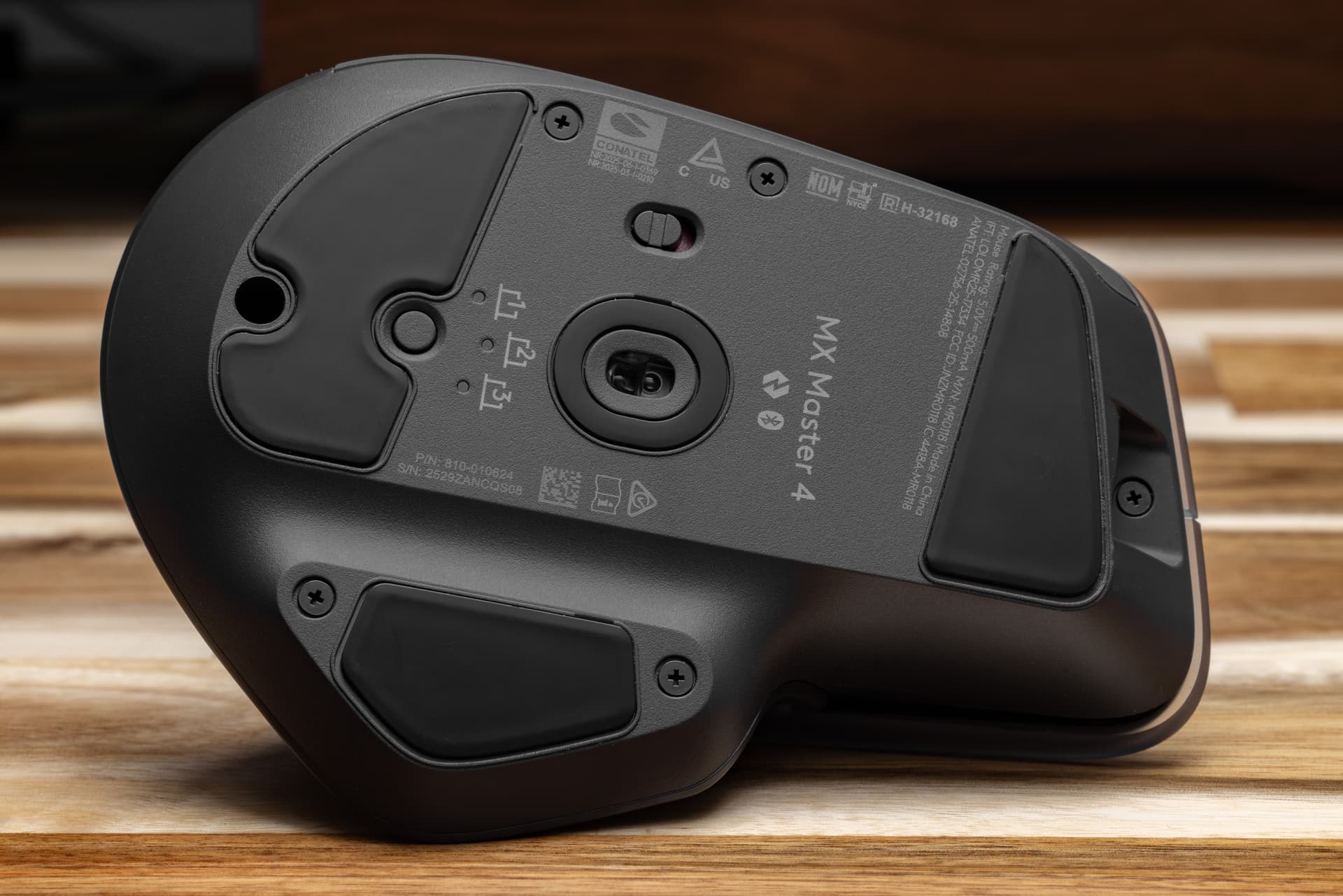
One the bottom of the mouse, an unexpected upgrade! Nothing is hidden beneath the glide pads. If you’ve ever tried to clean an MX Master series mouse before, you know it was an awful experience. I have not torn the mouse apart, but hopefully the easier access is a good sign. While I initially was happy to see the Phillips screws, those are easy to strip out and may become a downgrade quite quickly.
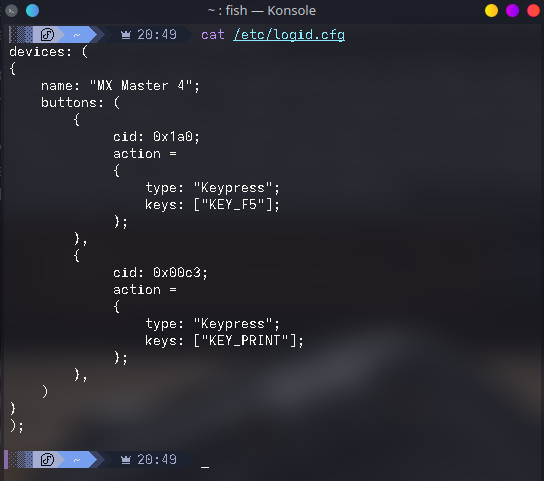
The haptics and new “action” features are entirely lost on me. I use Fedora, so there is no Logi Options+ for me. Even if there was… no thanks. I am uninterested in using proprietary software to do something you used to be able to hold in memory on the mouse. I don’t want to create an account to sync my settings, and I don’t want the software being deeply involved in my workflow. Instead, I use LogiOps to map the buttons. I have the “action” button mapped to F5 and the new/old gesture button mapped to print screen. The extra button works out nicely for me.
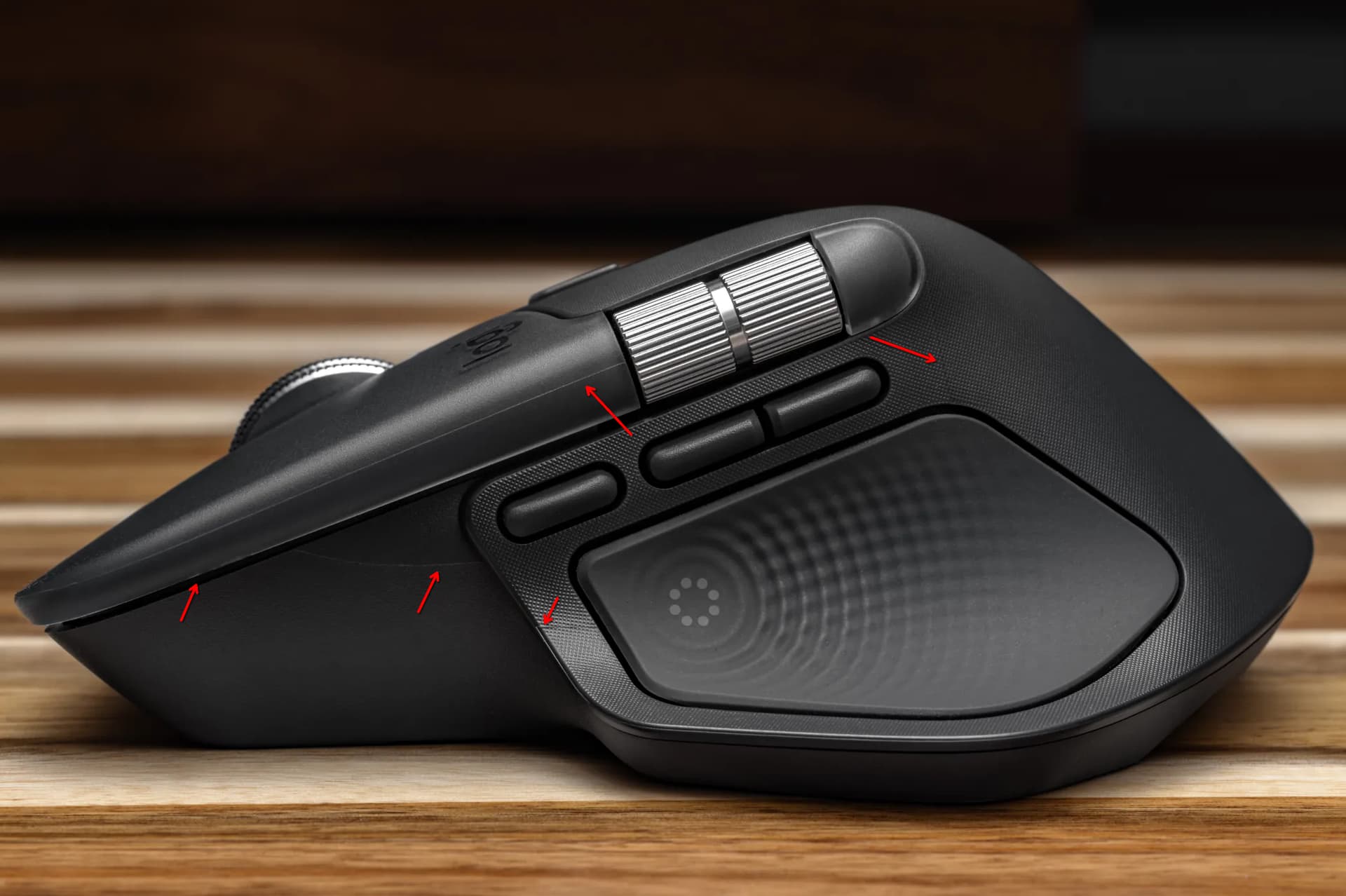
There is something that bothers me immensely with the newly more expensive MX Master 4. All the seams are on display. The previous MX Masters are all well polished. The MX Master 4 has VERY visible seams and plastics imperfections. You don’t see them in official photos, but they are jarring to look at in person. When you charge $20 more, fit and finish becomes a little more than a nitpick.
Am I going to keep the mouse? Yeah. The rubber is disintegrating on one of my old MX Master 3 mice, so I will. It will be great to never deal with that again. It sucks to not be 100% pleased with my upgrade, but it’s 2025. I’m used to it.
Edit: March 4th
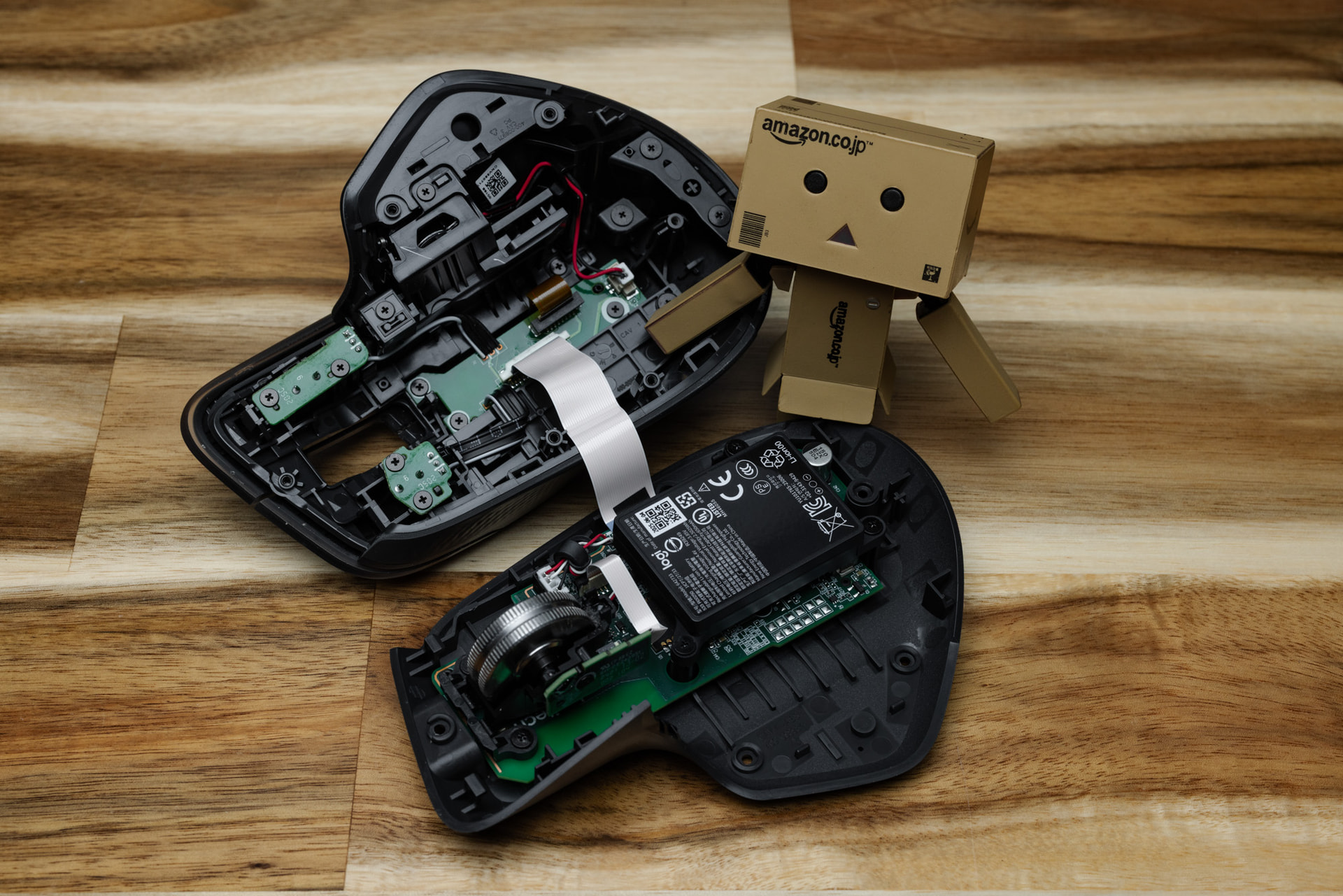
Had to take apart the MX Master 4 today.
It was absolutely painless compared to having to replace the skates on the older gens just to get to the screws. After dislodging a piece of dust, we’re back in business in under 4 mins.